PlayStation 4 DualShock 4 Controller Tester
Browser-based diagnostic suite for Sony DualShock 4 controllers (CUH-ZCT1 and CUH-ZCT2). Check symmetrical stick centering, L2/R2 trigger return springs, Micro-USB port stability, and dual ERM rumble directly on this page.
Plug in your controller & press any button, or test using keyboard emulation / auto demo.
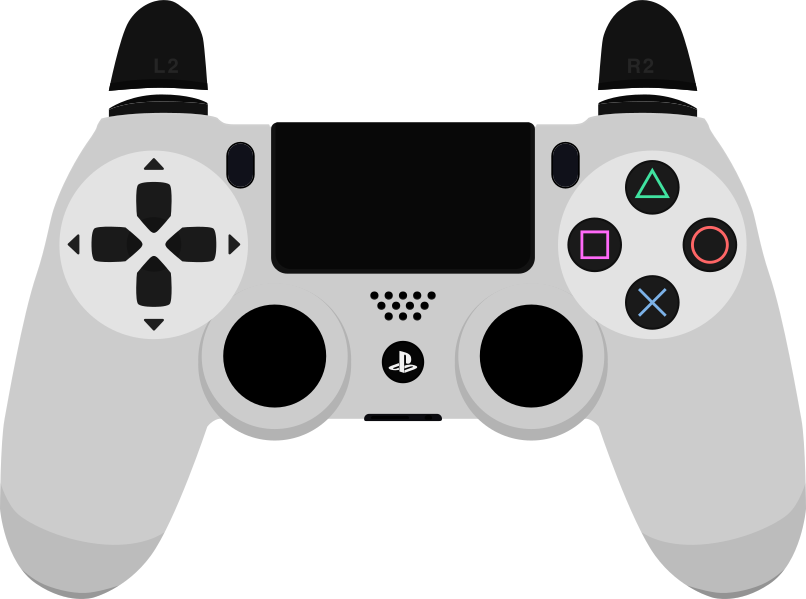
Connect Your PS4 DualShock 4 to Begin Live Testing
Plug in via USB or pair over Bluetooth, then press any button (such as Cross ✕ or PS) to wake the browser Gamepad API and launch the full diagnostic suite on this page.
B0–B17 including Cross, Circle, Square, Triangle, L1/R1, Share B8, Options B9, L3/R3 B10–B11, D-Pad B12–B15, PS B16, and physical Touchpad Click B17), symmetric Left/Right stick coordinates, deadzone & drift checks, 72-sector outer circularity trace, continuous L2/R2 (B6/B7) pull depth (0.000–1.000), and dual ERM rumble motors in Chromium desktop browsers when exposed by the OS driver.B17 is exposed), 6-axis SIXAXIS gyroscope and accelerometer motion sensors, RGB lightbar color programming, internal speaker and 3.5mm/EXT headset audio routing, and battery charge percentage on standard desktop HID drivers. Browser polling rate reflects requestAnimationFrame sampling cadence rather than raw Micro-USB or Bluetooth hardware interrupts.PS4 DualShock 4 Hardware Architecture & Subsystems
Physical sensor technology, switch types, and mechanical engineering details
Symmetrical ALPS Alpine two-axis potentiometer thumbsticks paired with tactile L3/R3 click switches (B10/B11). As carbon resistive tracks wear or dust collects inside the sensor housing, resting coordinates can shift away from 0.000, which shows up on the Axis 0/1 and Axis 2/3 crosshairs.
L2 (B6) and R2 (B7) pivot on hinged plastic cradles backed by small steel torsion springs and flexible carbon film contacts. If a torsion spring loses tension or cracks, the trigger can fail to return to 0.000 when released or cap out below 1.000 at full pull.
Conductive silicone rubber membrane pads press against a flexible printed circuit film (FPC) for Cross, Circle, Square, Triangle, D-Pad, and L1/R1 across internal board revisions (JDM-001 through JDM-055). Share (B8), Options (B9), and PS (B16) use surface-mounted tactile switches, while the touchpad assembly rests on a central mechanical click switch mapped to B17. One-piece 4-way cross rocker over a four-contact conductive rubber pad, mapped to W3C buttons B12 (Up), B13 (Down), B14 (Left), and B15 (Right).
Asymmetric Eccentric Rotating Mass (ERM) motors inside the left and right grips. Chromium desktop browsers can drive these grip motors via the W3C vibrationActuator API when exposed by the operating system driver; capacitive touchpad X/Y finger coordinates, SIXAXIS gyro/accelerometer data, lightbar color control, and headset audio are not exposed to web browsers.
Recommended PS4 DualShock 4 Diagnostic Procedure
Step-by-step verification order to detect intermittent or subtle hardware defects
Place the DualShock 4 on a flat desk without touching the thumbsticks. Watch the Left Stick (Axes 0/1) and Right Stick (Axes 2/3) readouts. Clean potentiometers typically settle below 0.050–0.060; a steady offset above 0.080 after releasing the stick from multiple directions points to wiper wear or spring play that may require a higher in-game deadzone.
Pull L2 (B6) and R2 (B7) slowly from rest to the physical stop, then release them quickly. Verify that both gauges reach 1.000 (100%) without flickering and drop cleanly back to 0.000—hovering at 0.020–0.060 after release is a classic sign of a weakened DualShock 4 trigger spring.
Open Step 4 (Advanced Diagnostics) to view the live Event Monitor while gently moving the Micro-USB plug at the top of the controller. Repeated disconnect/reconnect entries indicate worn retention pins inside the Micro-USB receptacle or a frayed cable.
Press each face button, L1/R1 bumper, Share (B8), Options (B9), PS (B16), and depress the center touchpad to confirm B17 registers cleanly on every press.
PS4 DualShock 4 Button Mapping & Standard Pinout
Standard W3C Gamepad API index assignments for PS4 DualShock 4
| API Index | PS4 DualShock 4 Physical Label | Sensor Type |
|---|---|---|
| B0 (Bottom) | Cross (✕) | Digital Membrane |
| B1 (Right) | Circle (○) | Digital Membrane |
| B2 (Left) | Square (□) | Digital Membrane |
| B3 (Top) | Triangle (△) | Digital Membrane |
| B4 / B5 | L1 / R1 Bumpers | Digital Tactile |
| B6 / B7 | L2 / R2 Triggers | Rotary Analog (0.000–1.000) |
| B8 / B9 | Share / Options | Menu Tactile |
| B10 / B11 | L3 / R3 Thumbsticks | Stick Depress |
| B12 - B15 | D-Pad Up/Down/Left/Right | 8-Way Matrix |
| B16 / B17 | PS Button / Touchpad Click | System / Digital Switch |
Common PS4 DualShock 4 Hardware Issues & Diagnostics
Symptom analysis and verified testing procedures
How to Connect PS4 DualShock 4 to PC or Mac
- 1Micro-USB Wired Connection: Connect your DualShock 4 to a PC or Mac using a data-rated Micro-USB cable (power-only charging cables will light the orange LED briefly without enumerating as a USB HID controller).
- 2Bluetooth Pairing Mode: With the DualShock 4 powered off, hold the Share button and the central PS button together for 3 seconds until the rear lightbar flashes white in rapid double pulses.
- 3Pair in OS Bluetooth Settings: Open Bluetooth settings on Windows, macOS, Linux, or Android and select "Wireless Controller" (or "DUALSHOCK 4 Wireless Controller" on newer OS builds).
- 4Wake the Browser Tester: Click inside this browser tab and press Cross (✕), Options, or the Touchpad click button to start live telemetry.
Web browsers on Windows, macOS, and Linux map Sony DualShock 4 controllers (CUH-ZCT1 054c:05c4 and CUH-ZCT2 054c:09cc) to the 18-button W3C Standard Gamepad layout (including Touchpad click on B17 and proportional L2/R2 triggers on B6/B7). The Linux hid-sony driver documentation provides hardware reference data for USB/Bluetooth HID reports, whereas lightbar RGB and 6-axis motion sensors are not accessible through browser navigator.getGamepads().
Specifies browser access to digital buttons, proportional triggers (B6/B7), and 2D stick axes.
Hardware reference for DualShock 4 USB/Bluetooth descriptors (kernel driver features differ from browser Gamepad API on Windows/macOS).
Frequently Asked Questions
Do I need DS4Windows to test a PS4 DualShock 4 in my browser?
No. Modern browsers on Windows, macOS, Linux, and Android recognize the DualShock 4 natively as a USB or Bluetooth HID gamepad and map its buttons and sticks to the W3C Standard Gamepad layout without third-party remappers.
What is the difference between CUH-ZCT1 and CUH-ZCT2 when testing on PC?
The original CUH-ZCT1 (USB Product ID 05c4) routes controller data over USB when wired, while the newer CUH-ZCT2 (Product ID 09cc, bundled with PS4 Slim and PS4 Pro) adds a thin lightbar window across the top of the touchpad and supports wired USB communication bypassing Bluetooth on console. In a web browser, both models expose the exact same 18-button (B0–B17) and 4-axis W3C layout.
Can this tool test two-finger swipe gestures on the PS4 touchpad?
No. The standard W3C Gamepad API exposes the DualShock 4 touchpad’s physical click microswitch as button index B17, which you can test on the 3D controller diagram and button matrix. Capacitive multi-touch X/Y finger coordinates and SIXAXIS motion sensors are not exposed by browser Gamepad APIs.
Why does my DualShock 4 charge when plugged into PC, but no buttons register?
Many spare Micro-USB cables bundled with power banks, speakers, or lamps only wire the 5V power pins and omit the D+ and D- data lines. Swap to a data-capable Micro-USB cable—or pair via Bluetooth using Share + PS—and press any button to wake the browser tester.